
Everything Bingy does
for your language learning
A Chrome extension that adapts Netflix subtitles to your vocabulary level. Here's every feature that makes it the smartest way to learn a language with Netflix.
Personalized vocabulary test
A 45-second test across 12 frequency levels (100 to 5,000 words) determines exactly which words you already know. Bingy only translates words that are new to you — no more, no less.
Inline word translations
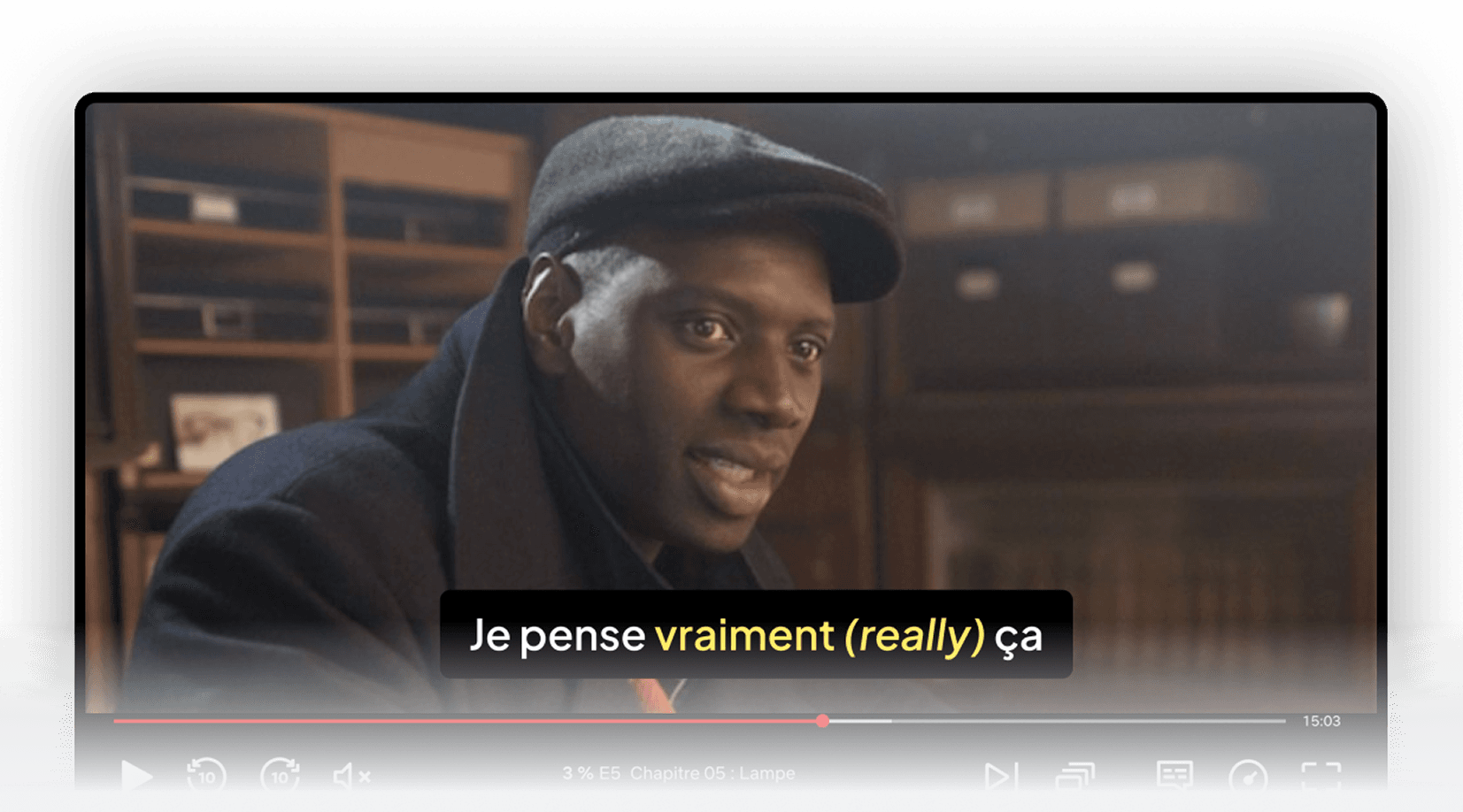
Unknown words are translated directly inside the subtitle text, in context. No popups, no pausing, no dictionary lookups. You read the subtitle naturally and absorb new vocabulary as you watch.
Intelligent language switching
When a subtitle contains too many unknown words, Bingy switches the entire line to your native language so you never lose track of the story. The algorithm finds the perfect balance between challenge and comprehension.
Word marking system
Learned a new word? Mark it as known directly from the Netflix interface. Bingy stops translating it immediately. Over time, fewer translations appear — proof that you're making progress.
Multi-language support
Learn French or Brazilian Portuguese as target languages, with your native language selectable from 13 options including English, Spanish, German, Italian, Dutch, and more.
Context-aware translations
Every translation is generated with AI that understands the full sentence context. The same word gets different translations depending on how it's used — "banco" translates to "bank" in a financial scene and "bench" in a park scene.
Works with any Netflix show
Series, movies, documentaries — if it has subtitles in your target language on Netflix, Bingy works with it. No special content library needed. Watch what you already love.
Retake the vocab test anytime
As your level improves, retake the vocabulary test to update your profile. Bingy recalibrates instantly, so your subtitle experience always matches your current level.
See it in action
Here's what Netflix subtitles look like with Bingy enabled. Unknown words are translated inline, so you never leave the viewing experience.
Bingy vs. traditional subtitle methods
| Bingy | Regular subtitles | |
|---|---|---|
| Adapted to your level | Yes | No |
| Inline translations | Yes | No |
| Tracks vocabulary progress | Yes | No |
| No pausing needed | Yes | Often need to pause |
| Context-aware translations | AI-powered | N/A |
Try Bingy for free
Set up in under 2 minutes. Start with a 3-day free trial and see how many words you can learn from your next Netflix binge.
Set up Bingy — it's free to try